Demand forecasting & targets
Create baseline forecasts using configured statistical methods, set planning horizons and periods, and define targets by product, location, customer group or other supported dimensions.


Buy Demand Planner: One payment — licence does not expire · Card payment is closed at the moment — these open the enquiry form below and we will arrange it from there.
Plan with clarity. Respond with confidence.
Demand Planner extends Microsoft Dynamics 365 Business Central with a connected workspace for demand forecasting, collaborative review, forecast performance and inventory alignment—helping teams move from scattered inputs to one governed demand plan.
Designed to complement Business Central’s native demand and supply-planning processes.
Inside Business Central
Screenshots from a Business Central demo company. Select an image to open it at full size.
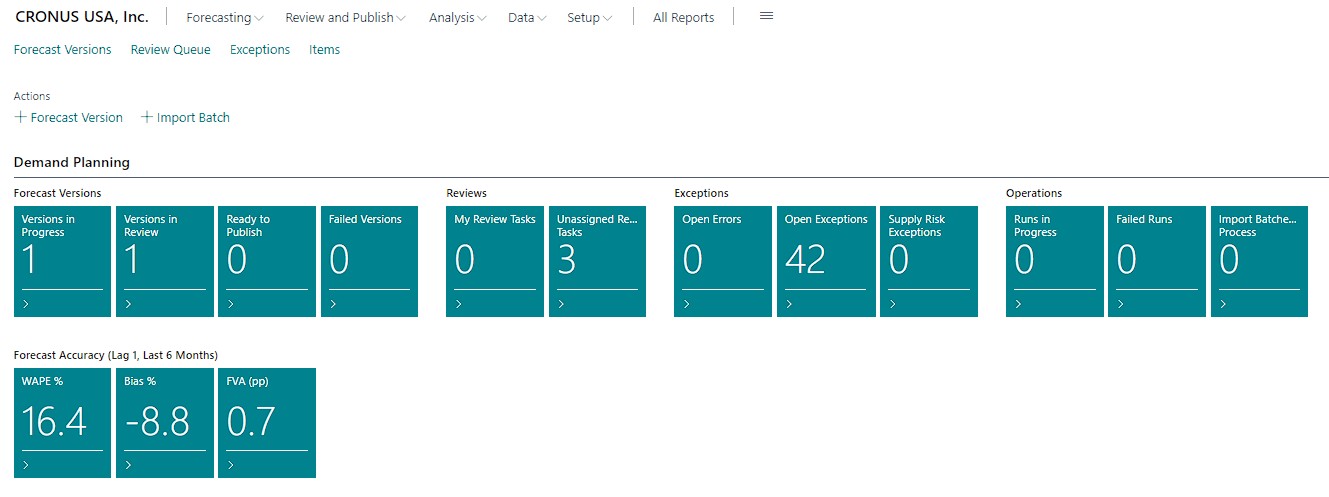

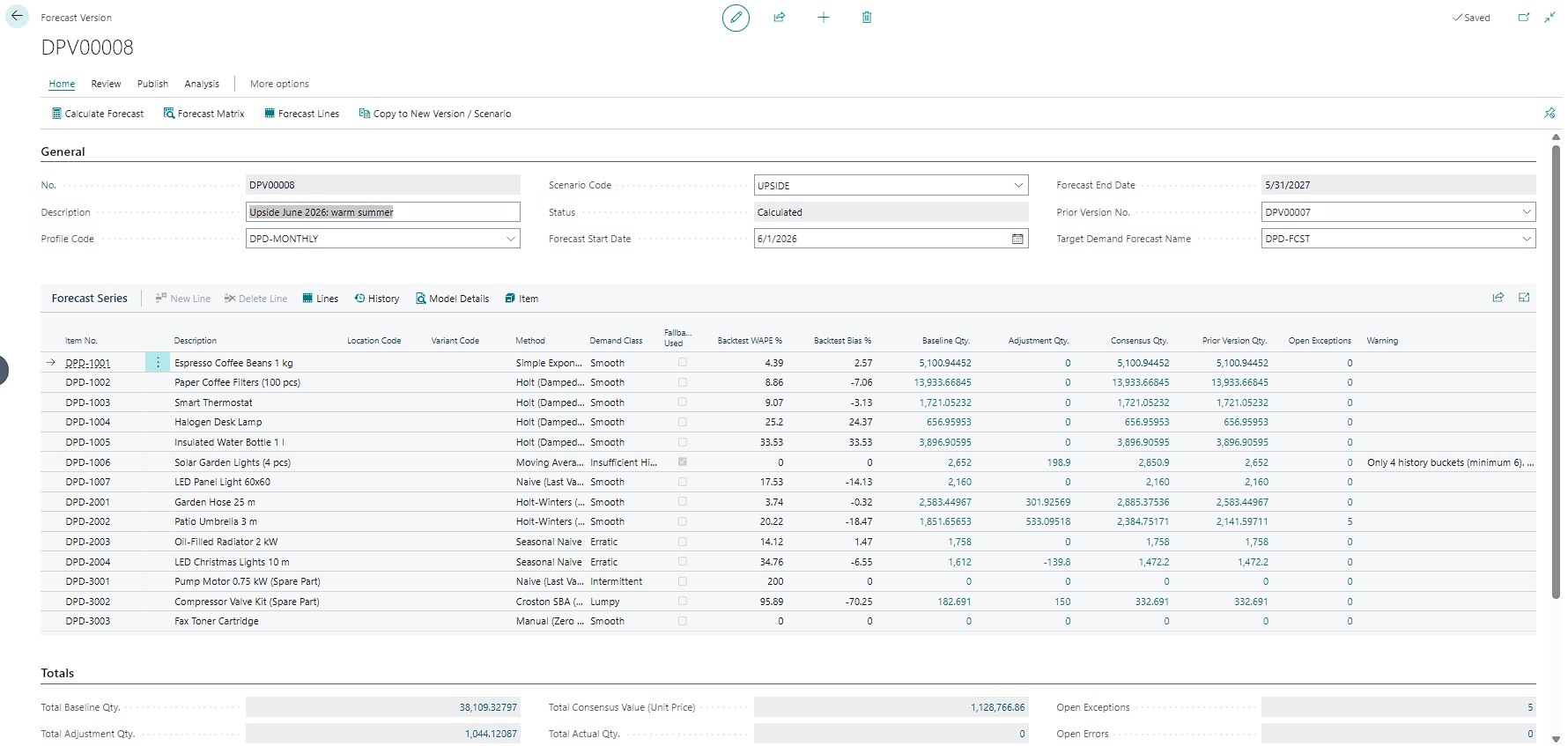
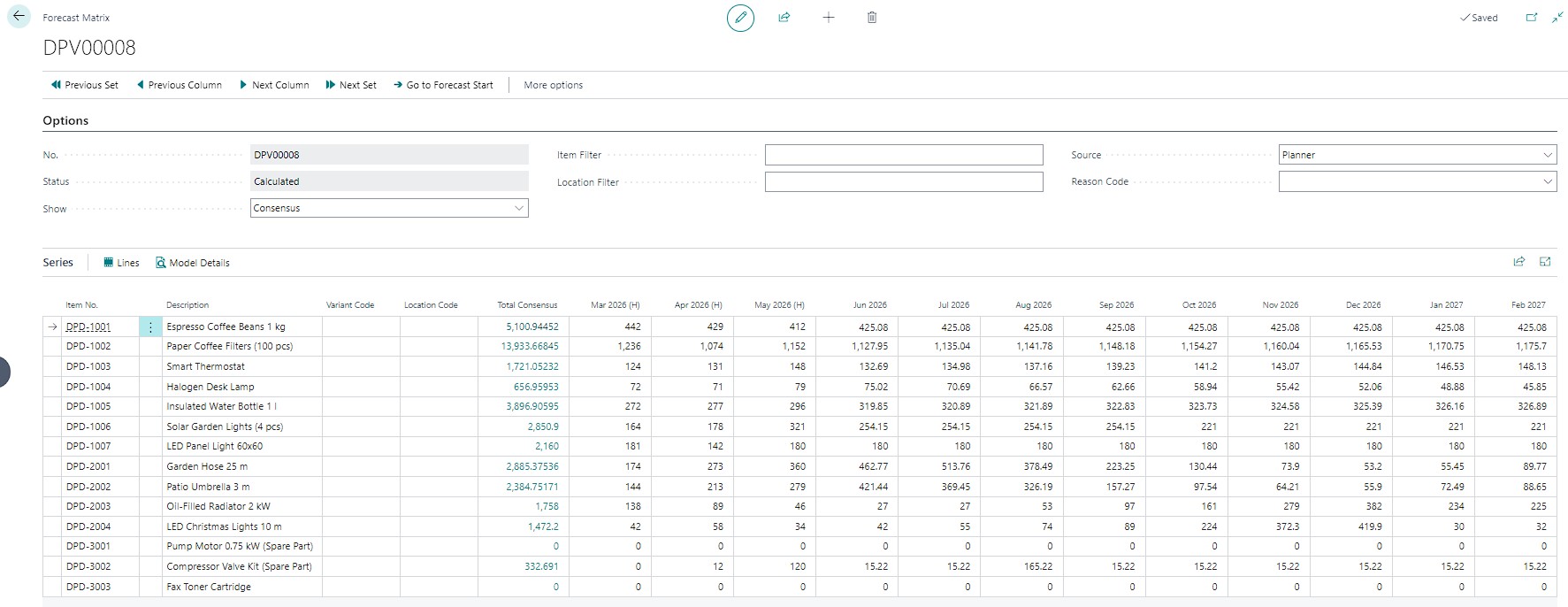
A connected planning workspace
Bring the activities that shape a demand plan into one structured workflow—while keeping assumptions visible and decisions traceable.
Create baseline forecasts using configured statistical methods, set planning horizons and periods, and define targets by product, location, customer group or other supported dimensions.
Bring together Business Central demand history and mapped external inputs such as POS, e-commerce, campaigns or market signals, where those feeds are available.
Capture sales, marketing, operations and finance input, record override reasons, and route selected forecasts through review and approval before publication.
Compare baseline, working, approved and what-if plans. Preserve previous versions and understand what changed, who changed it and why.
Review demand alongside inventory positions, lead times, safety stock and replenishment settings. Highlight potential shortages, excess stock and service risks.
Track forecast error and bias by product or segment, compare manual adjustments with the baseline, and focus reviews on meaningful exceptions.
Detect missing periods, mapping gaps, unusual values and stale inputs. Keep run status, source lineage, validation results and publication history available for review.
Give planners, sales teams, operations and managers role-relevant views of forecast trends, review status, key exceptions and planning performance.
Publish the selected approved forecast to configured Business Central demand forecast records and hand off to the standard supply-planning process.
A clear path from input to action
Replace disconnected spreadsheets and informal adjustments with a controlled cycle your teams can review, improve and repeat.
Collect demand history and available signals, map dimensions and identify data-quality issues.
Run configured forecasting methods, review diagnostics and establish a baseline for the selected horizon.
Collect business input, model scenarios, document adjustments and complete required approvals.
Publish the approved demand plan into Business Central and monitor forecast performance and supply-related exceptions.
Built around Business Central
Demand Planner is designed to complement the Business Central data model and planning tools, not replace them. Use the demand plan to support better-informed supply decisions while keeping operational documents and transactions under your existing BC controls.
Designed for complex demand
Configure planning dimensions and forecast workflows to reflect how your business serves customers and replenishes stock.
Anticipate changing item demand, compare demand by location and channel, and surface replenishment risks earlier.
Provide a clearer demand signal for production planning while respecting Business Central’s standard dependent-demand and planning logic.
Bring sales history and available POS, online, campaign or event signals into a more consistent planning process.
Organize forecasts by supported location, variant, product family, customer segment or other configured planning dimensions.
Measure what matters
Use configurable indicators to understand accuracy, service exposure, inventory health and the impact of planning decisions over time.
Frequently asked questions
No. Demand Planner focuses on forecasting, consensus planning, analytics and controlled publication. Business Central remains the system of record and continues to handle its standard demand/supply planning and operational document processes.
Yes. Demand Planner keeps its own forecast versions and scenarios—such as baseline, working, approved and what-if plans—so planners can compare results and publish only the selected approved version.
Yes, where suitable data and integrations are available. External sources such as POS, e-commerce, campaign or market feeds can be mapped and validated before they are used in forecasting.
Baseline forecasts use configurable statistical methods, including moving averages, exponential smoothing and trend analysis. More advanced modelling can use a separately hosted service where appropriate, depending on data volume, Business Central version, cloud or on-premises deployment, security and licensing.
No. Publishing a forecast is distinct from committing to a sales order, purchase order or production order. Any downstream document creation should follow an explicitly authorized workflow and the standard Business Central controls.
Start with your planning goals
Discuss your forecast horizons, data sources, approval steps and Business Central setup to identify a practical implementation scope.