ExtBC

Omnichannel Chat Extension for Business Central

Stop switching tabs. Start communicating where your data lives.

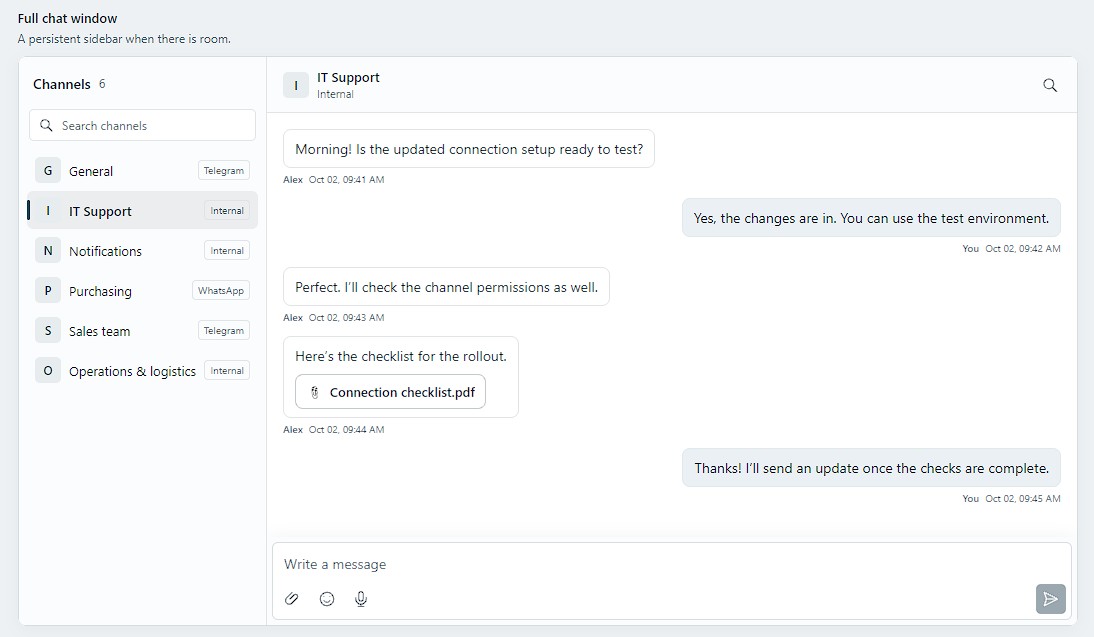
The Chat Extension for Microsoft Dynamics 365 Business Central bridges the gap between your ERP data and your daily communication. Whether you are collaborating with internal teams, supporting customers, or negotiating with vendors, our extension centralizes all your conversations directly within Business Central.

Chat docked as a FactBox inside a Business Central Sales Order

Why Choose Our Chat Extension?

  • Contextual Conversations

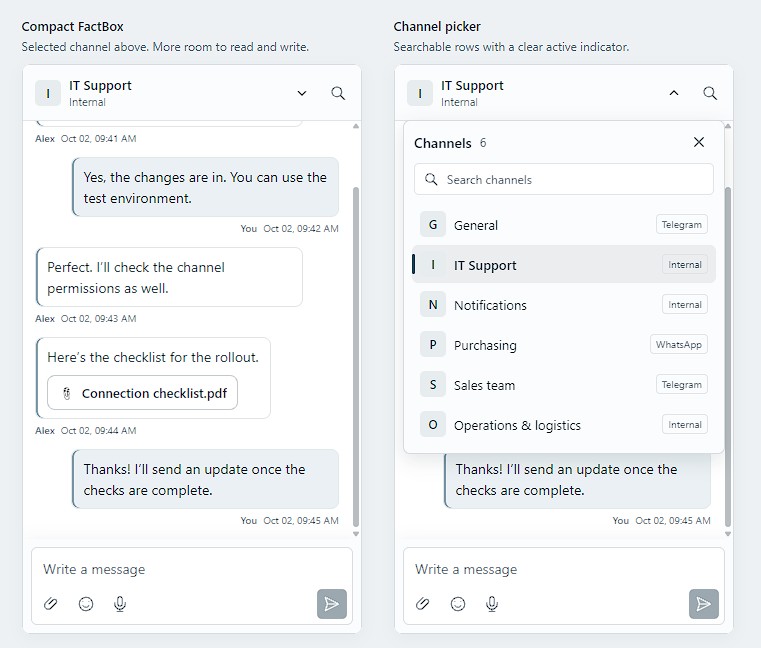
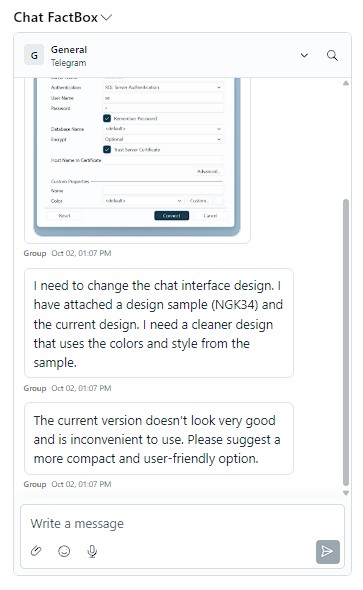
Never lose track of what you are discussing. Embed the chat as a FactBox directly into Sales Orders, Quotes, Purchase Orders, and Assembly Orders. Keep your team aligned by attaching conversations exactly where the work happens.

Chat embedded as a FactBox, showing channels and a shared photo
  • Seamless Omnichannel Integration

Communicate with anyone, anywhere, without leaving Business Central. Messages sync in real-time across the platforms your team and customers already use:

  • Internal: Secure, BC-only messaging for your staff.
  • Slack & Telegram: Sync channels to keep external partners, vendors, and remote teams in the loop.
  • WhatsApp: Connect directly with customers via their phone numbers to send updates, quotes, or support.
Unified chat combining Internal, Telegram, Slack and WhatsApp channels
  • Rich Media & File Sharing

Words aren't always enough. Our powerful messenger features allow you to share exactly what you need, instantly:

  • Visuals: Capture and send photos directly from your webcam, upload images from your PC, or snap screenshots of specific browser windows in seconds.
  • Documents & Archives: Easily drag-and-drop PDFs, text files, and ZIP folders into the chat.
  • Voice Notes: Busy hands? Record and send voice messages using the built-in audio player.
Capturing a screenshot of a specific browser window to share in chat
  • Fast & Intuitive Interface

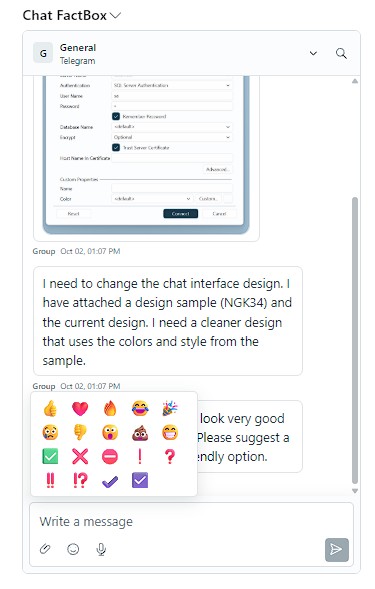
Designed to feel like the messaging apps you use every day. React to messages with emojis (👍❤️), track conversation histories, and easily search for specific attachments. Use it docked on your working page, or pop it out into a standalone window for dedicated communication sessions.

Reacting to messages with emojis and managing conversation history
  • Developer-Ready Automation

Built with extensibility in mind. Our open interface allows you to connect the chat with other Business Central functionalities—enabling automated message triggers, status updates, and custom workflows.

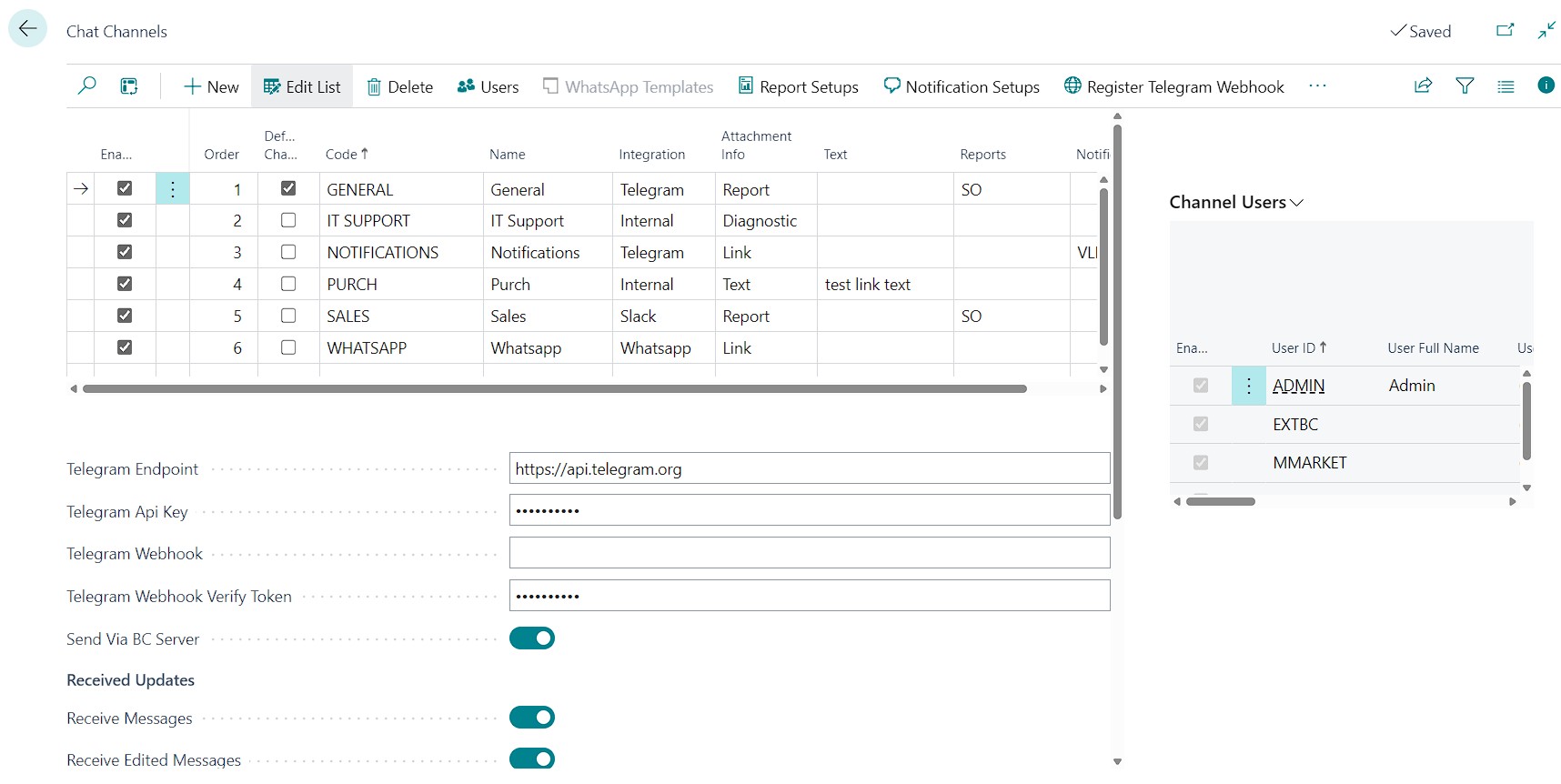
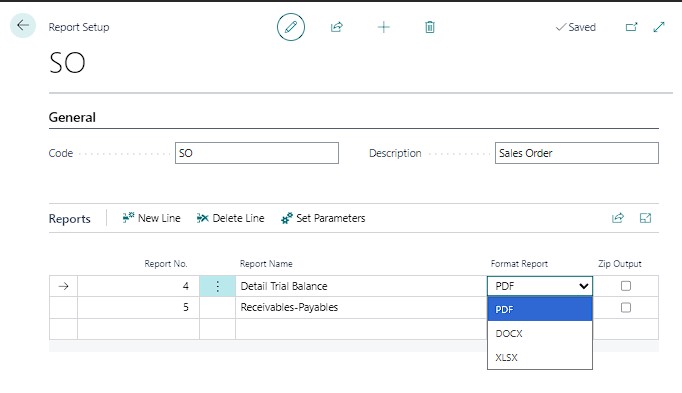
Chat Channels setup: configure integrations, webhooks and received updates Report setup for automatically attaching generated reports to messages


Watch the Demo

Book a Demo